ATP Tennis Schedule Today and Tomorrow: Matches, Start Times and Live Scores
Find today's and tomorrow's ATP tennis matches, start times, live-score sources and schedule-change checks in one practical match-day guide.

The ATP tennis schedule today is a live planning document, not a fixed line in the annual calendar. Matchups, courts and start windows become reliable in stages, and a correct answer depends on the fan's time zone. This guide explains how to read today's and tomorrow's men's main-tour schedule, distinguish singles from doubles, find legal coverage and respond when the order changes.
Where to find the ATP tennis schedule today and tomorrow
The quickest answer is to open the ATP tennis schedule today for the current match list, then switch to the seven-day ATP schedule when you need tomorrow. The daily page answers the match-level questions an annual calendar cannot: who is playing, whether the entry is singles or doubles, the round, court, status and confirmed start in the selected time zone. The weekly page widens that view without forcing fans to hunt through separate tournament websites.
Use the today page for match-level answers
A tournament can be active for ten or twelve days while one player competes on only five or six of them. That is why an event window such as “August 31–September 13” is not a daily order of play. Start with the date shown on the schedule, check the tournament group, then read the draw, round and court beside the matchup. A status of Scheduled, Live or Final answers a different question from the listed start time. It tells you whether the match is waiting, underway or complete.
Use the ATP Tour's official scores area as a verification source when a lineup changes. ATP also describes ATP WTA Live as its official app and lists live scores, official schedules, statistics, rankings and highlights among its features. The practical division of labor is simple: use ATP Schedule to organize matches in your time zone, and use the official tournament or ATP product to confirm a late revision.
Use the seven-day view when tomorrow is incomplete
Tomorrow is often a moving target. The rolling weekly view shows every available main-tour entry across the next seven days and lets you separate men's singles from men's doubles, then narrow the list to live, upcoming or finished matches. If tomorrow looks empty, do not assume there is no tennis. It may mean that the tournament dates are confirmed but the next order of play has not been published.
Read ATP start times without making a time-zone mistake
A converted start time is useful only after you know what kind of schedule promise sits behind it. Tennis orders of play use fixed session starts, “not before” times and “to follow” sequences. Those labels survive the trip across time zones. A fan in California may see a European match on the previous evening, while a fan in Australia may see an American night session on the next calendar day.
Venue time and your calendar date can differ
First confirm the zone displayed on the today schedule. “Today” should mean the selected zone's calendar date, not automatically the date printed by the tournament. This becomes decisive during the North American night sessions: a 7 p.m. start in New York is already after midnight in much of Europe. Save the converted date and time to your calendar, but keep the tournament's local order of play available for revisions.
Not before is a floor, not an appointment
“Not before 8:00 p.m.” means the match cannot begin earlier than 8, not that first serve is guaranteed at 8. Montreal's 2026 final-day order put the doubles final at 5:30 p.m. and the singles final not before 8. If doubles had run long, the singles players would have waited. ATP's competition rules make the distinction explicit: matches normally follow one another on an assigned court, while a feature match may receive a clock time or a not-before restriction.
| Listing | What it guarantees | Fan action |
|---|---|---|
| Court starts 11:00 | Opening match target | Check close to session start |
| Not before 15:00 | No start earlier than 15:00 | Allow for a later start |
| To follow | Starts after the earlier court match | Track the preceding score |
Singles and doubles can share the same moving court
Do not estimate only from the match you plan to watch. A doubles final before a singles final can last two conventional sets plus a match tie-break; a five-set Grand Slam singles match can consume an entire afternoon. Washington also revised a 2026 final-day order because of forecast weather. The best estimate therefore comes from the preceding court match, the latest official order and the live court status together. Recheck all three before leaving for the venue or opening a stream.
Why tomorrow's ATP schedule may still show TBA
TBA normally means the tournament has not yet approved or published a complete daily order of play; it does not mean tomorrow's tennis has been cancelled. The event can have confirmed dates, a live draw and known possible matchups while court assignments and start windows remain undecided. Open the ATP tournament directory to confirm the event window, then treat the match-level schedule as a later layer.
The draw identifies possibilities before the order of play fixes times
A draw tells you which player advances into which branch. It cannot settle a quarterfinal pairing until both previous matches finish, and it says nothing by itself about Centre Court, Court 2 or the night session. ATP's 2026 rules define the daily order of play as the published summary of matches scheduled for a particular day. Once the scheduling committee has determined it, the rules say it should be released no later than 10 p.m. local time at the tournament.
That deadline is local, so an overseas fan may receive tomorrow's useful schedule late in the evening, overnight or even on the next morning at home. The right response to a blank time is patience and a reminder to check again, rather than copying an estimate from a search snippet. An opponent labelled TBA can also be legitimate when the preceding round is still unfinished.
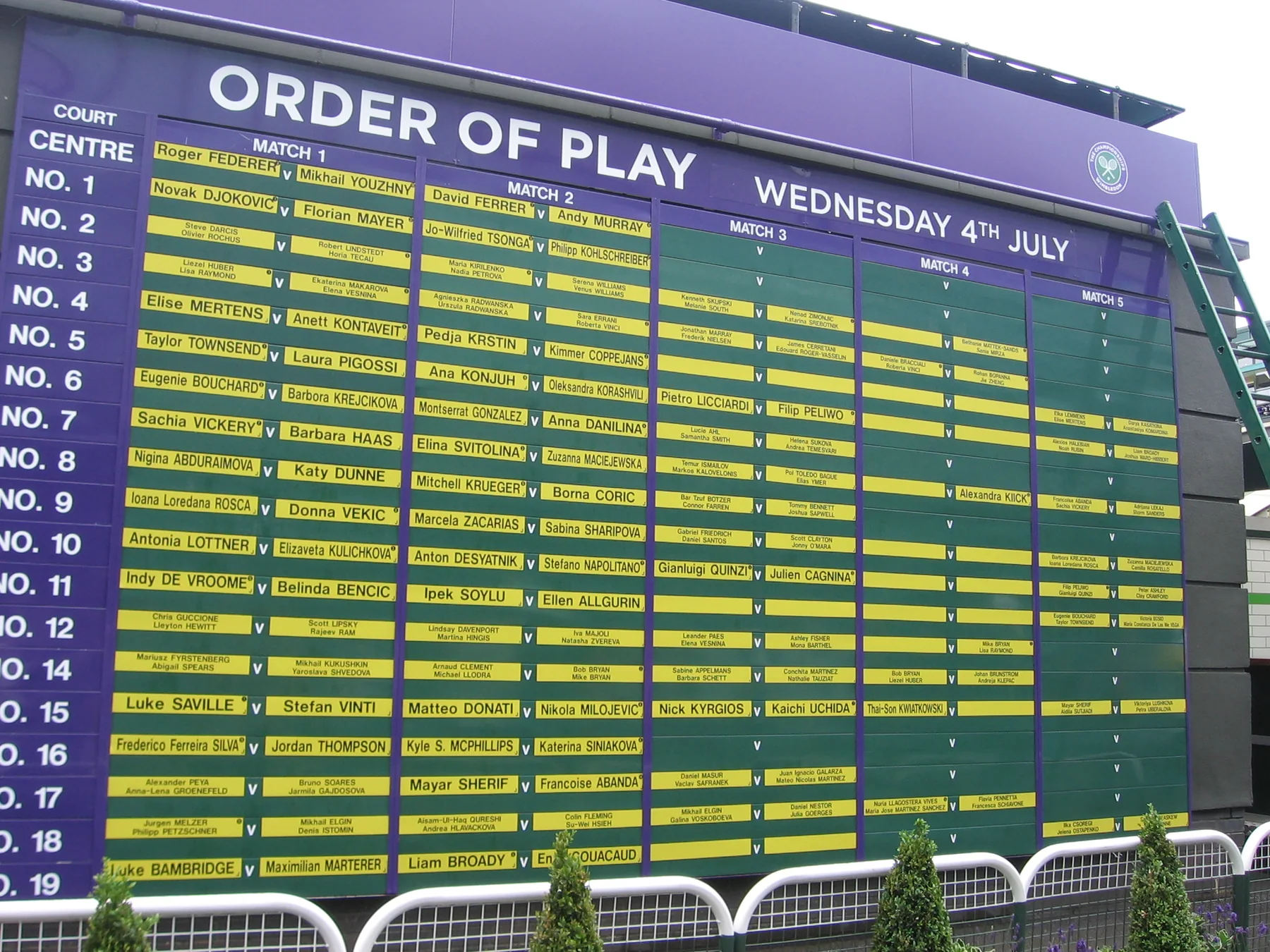
Recheck after the current session ends
The best checkpoint is after the matches that determine tomorrow's draw positions have ended. Then check again when the tournament releases its order. Rain makes this especially important. At 's-Hertogenbosch in June 2026, unfinished matches were carried into Friday after play was suspended, adding resumed contests to the next day's workload. Rest requirements, darkness and a withdrawal can create the same knock-on effect.
Even a published order can move. ATP rules say any court or session may be reassigned, and a post-publication change requires the Supervisor's approval. Therefore use three confidence levels: an event date is broad planning; a published order is the working plan; the latest official notice and live court status are the match-day truth. That framework keeps “TBA” informative instead of frustrating.
Separate ATP singles, doubles and tournament levels
Filter the draw before judging today's workload. Men's singles and men's doubles belong to the same tournament but run on separate brackets, often reach different rounds on the same date and may use different courts or match formats. A schedule showing eight doubles matches and two singles quarterfinals is not missing singles; it is showing the stage each draw has reached.
Level is the second filter. ATP's 2026 calendar contains nine Masters 1000 tournaments, 16 ATP 500 events and 29 ATP 250 events, alongside the season-ending ATP Finals and Next Gen ATP Finals. The four Grand Slams appear in the men's calendar but are governed separately. Fans can use the ATP tournament levels guide to understand points and importance, then return to the daily list for the actual order of play.
| Schedule label | What belongs there | Common mistake |
|---|---|---|
| Men's singles | One-player teams in the singles draw | Assuming doubles results advance this bracket |
| Men's doubles | Two-player teams in a separate draw | Looking only at marquee singles courts |
| Main ATP Tour | Masters 1000, ATP 500, ATP 250 and finals | Mixing in Challenger or ITF matches |
| Grand Slam | Major event men's draws | Assuming normal ATP media rights and match format |
Broad live-score products intentionally combine ATP, WTA, Challenger, ITF and exhibition matches. That breadth is useful for a universal tennis fan, but it can make “ATP schedule today” much noisier than intended. On this site, the working scope is the main men's tour, with singles and doubles identified separately. If the player you want appears only in a Challenger, switch to the official ATP scores product or Challenger TV rather than assuming the main-tour page is incomplete.
Finally, treat draw size as context, not a promise that every entrant plays today. Byes, qualifying, withdrawals and alternating halves of a bracket shape each day's count. The current tournament page and approved order of play remain more useful than a generic “32-player event” label.
Turn today's match list into a viewing plan
Pick the match before you pick the channel. A tournament logo on a streaming service does not prove every court is available, and one subscription does not cover the entire men's calendar. Start with player, draw, court and expected window; then use the ATP viewing guide to identify the legal provider for your country.
Choose by match, not only by tournament
Early rounds can place singles and doubles on many courts at once. A television channel may select one show court while its authenticated app carries additional feeds. Decide whether you need one marquee match, every match involving a player, or full-court access. That decision tells you whether a linear channel is enough or whether you need a streaming product with multiple courts and replay support.
Confirm the broadcaster after the court is known
ATP's official territory table currently lists Tennis Channel for U.S. Masters 1000 coverage. Tennis TV says it carries more than 2,500 live matches a year across Masters 1000, ATP 500, ATP 250 and the Tour's season-ending events. That sounds comprehensive, but the exception is critical: Tennis TV does not own live or replay rights to the four Grand Slams. It also excludes Davis Cup and Laver Cup.
At the 2026 US Open, the official U.S. schedule distributes sessions among ESPN, ABC, ESPN Deportes and the ESPN App. A fan searching only Tennis TV will therefore miss the match even though the player normally appears there during ATP Tour weeks. Verify event, territory, package and court feed in that order.
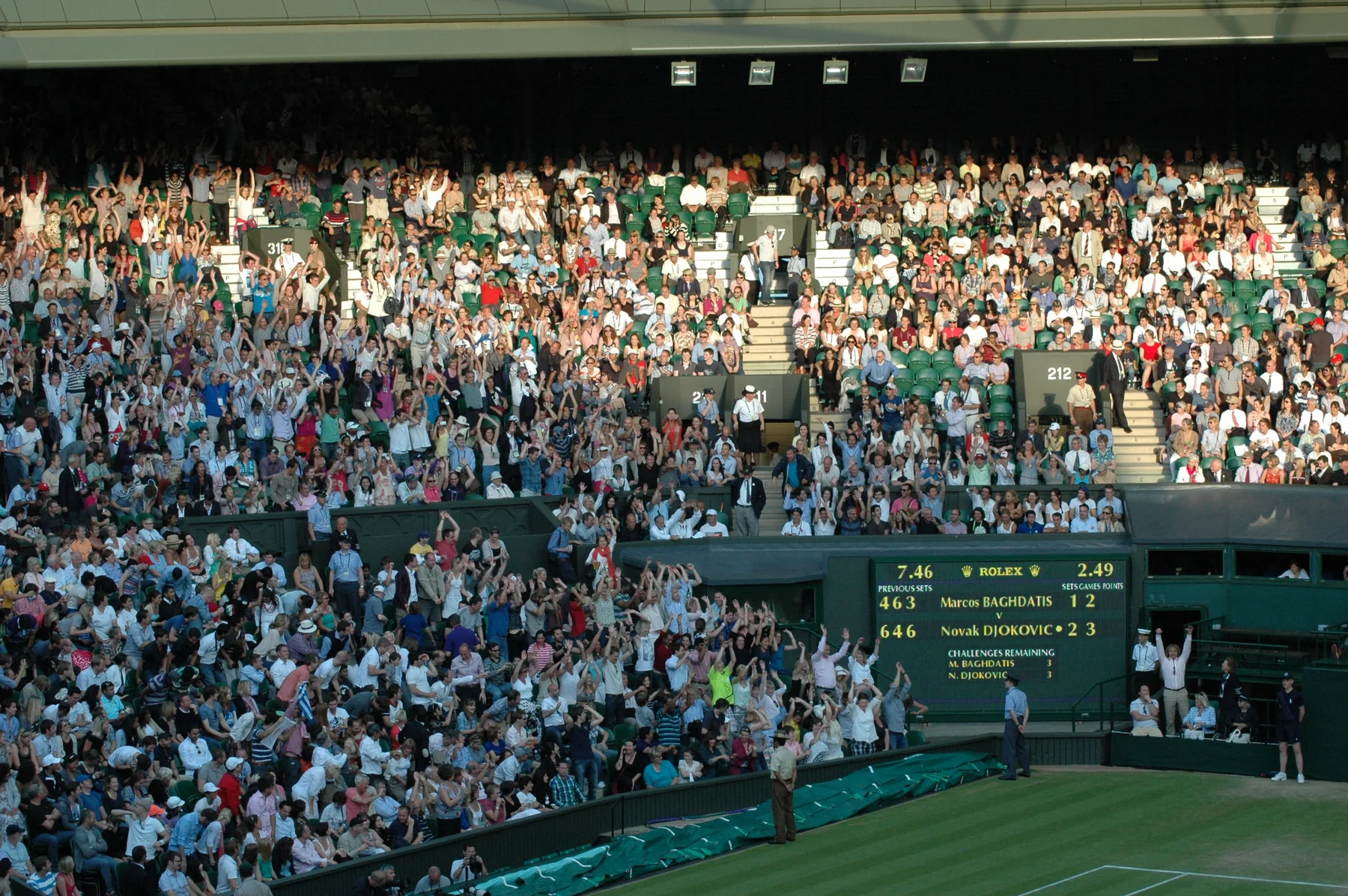
Build a backup for overlaps and delays
When two priorities overlap, choose a live match and save the other for replay, highlights or score tracking. Turn on spoiler protection where available. If a long court sequence delays your match, follow the preceding score instead of refreshing a nominal start time. Keep the tournament's official social feed available for a court move, and check that your streaming login works before first serve.
This backup plan also prevents unnecessary purchases. A free official score feed and highlights may be enough for a secondary match; a paid multi-court service makes more sense during a dense ATP week. The schedule tells you what conflicts exist before you decide what access is worth buying.
Handle weather, withdrawals and schedule changes
The newest official order of play outranks the time you saved yesterday. Tennis schedules are operational plans, and weather, unfinished matches, player health and court availability can alter them. ATP rules require Supervisor oversight for changes after an order is published, but that approval does not preserve an obsolete listing on a fan's calendar.
A revised order of play outranks an old listing
Washington supplied a clear 2026 example. Forecast weather first produced a revised Sunday program with the men's singles final moved to a not-before window. Rain ultimately pushed that final to Monday. Rome produced a different chain reaction when three unfinished matches were added to Thursday after Wednesday rain. In both cases, the original tournament date range stayed useful, but the daily sequence changed materially.
When weather threatens, check the tournament's official alert, refresh the match page and inspect the preceding court match. A moved match may keep the same date but change court; a suspended match may resume with its existing score; a postponed match moves to another day. Do not infer cancellation merely because the initial start disappears.
Final status and walkovers need different reading
A final score means points were played to an official conclusion. A retirement means play began but one competitor could not continue. A walkover normally means the match never began. Dubai's 2026 men's final became a walkover after Tallon Griekspoor withdrew with a hamstring injury before facing Daniil Medvedev. Medvedev won the title, but there is no set score to interpret as a played victory.
For the schedule
Watch for revised time, court, postponed, suspended, cancelled or opponent TBA.
For the result
Distinguish completed score, retirement and walkover before judging performance.
After play, use the ATP results page instead of reconstructing the outcome from an old order. The schedule tells you what organizers planned; the final status tells you what the record now contains.
A five-minute routine for every ATP match day
Use the same five checks every day: zone, scope, match, coverage and confirmation. This routine is faster than opening many score apps and protects against the errors that matter most—watching the wrong clock, mixing competition levels, expecting a match before its court is free or buying access that does not carry the event.
- 1. Confirm the displayed time zone. If you are travelling or planning for someone elsewhere, change it before reading the date. A late U.S. match can belong to tomorrow in Europe or Asia.
- 2. Set the scope. Choose today or the next seven days, then filter men's singles or men's doubles. If you want Challenger tennis, move to the official ATP product because the main-tour schedule intentionally excludes it.
- 3. Open the match detail. Read tournament, round, court, status and whether the time is fixed, not before or dependent on the prior match. Search the ATP player directory when you begin with a favorite player rather than an event.
- 4. Verify legal coverage. Match the tournament to the broadcaster for your territory. Check for a Grand Slam or team-event exception before assuming Tennis TV carries it.
- 5. Recheck near first serve. Look at the official order, preceding court match and latest status. Save the corrected local time only after those signals agree.
For tomorrow, repeat steps one through three after the current session finishes, then repeat steps four and five on match day. If the lineup is still TBA, the useful action is to set a later reminder rather than manufacture an exact time. ATP WTA Live can supply another official schedule and score checkpoint, while the tournament's own notice remains valuable for local interruptions.
The result is a schedule you can trust at the level it actually promises. Tournament dates support long-range planning; the daily order supports tomorrow; live court status supports the next hour. Keeping those horizons separate makes the global ATP calendar much easier to follow.
About the author
ATP Schedule Editorial Team
The ATP Schedule editorial team turns match times, scores, tournament information and verified tennis news into clear answers fans can use quickly.
View all articles by this author →Fan discussion
Comments
Sign in with Google to comment. Keep the discussion helpful and tennis-focused. New comments are reviewed before they appear.
Loading comments…